
Normal 0 false false false EN-US JA X-NONE
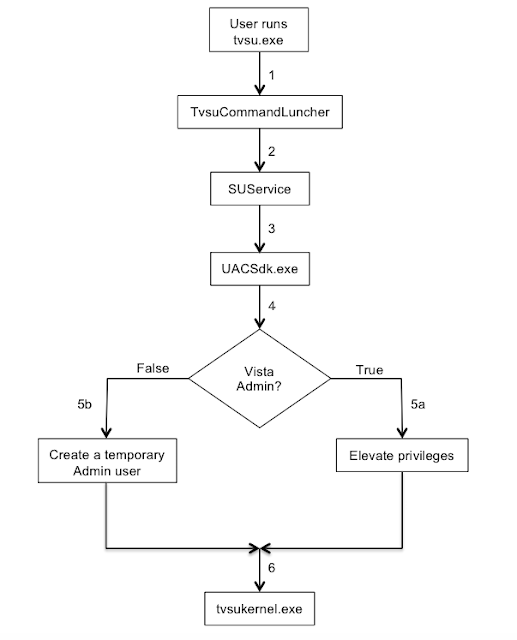
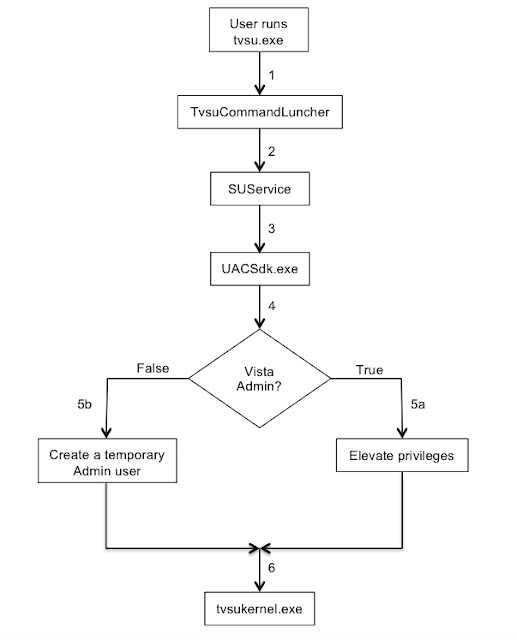
2 – TvsuCommandLauncher.exe then, as usual, contacts the SUService service that is running with System privileges, to process the required query with higher privileges.
3 – The SUService service then launches the UACSdk.exe binary with System privileges to prepare to execute the binary and run the GUI interface with Administrator privileges.
4 – UACSdk.exe checks if the user is a normal unprivileged user or a Vista Administrator with the ability to elevate privileges.
5 – Depending on user privileges:
- For a Vista Admin user, the user’s privileges are elevated.
- For an unprivileged user, UACSdk.exe creates a temporary Administrator account with a random password which is deleted it once the application is closed.
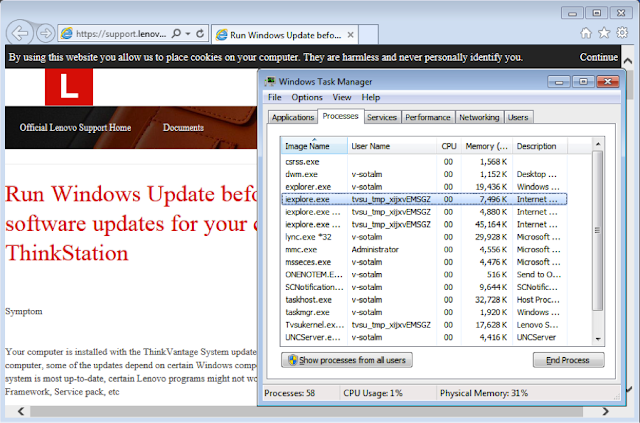
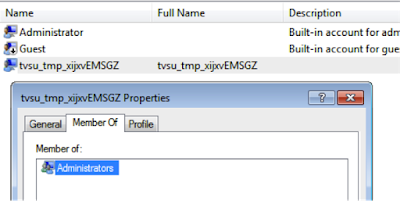
The username for the temporary Administrator account follows the pattern tvsu_tmp_xxxxxXXXXX, where each lowercase x is a randomly generated lower case letter and each uppercase X is a randomly generated uppercase letter. A 19-byte, random password is generated.
Here is a sample of a randomly created user:
6 – Through tvsukernel.exe binary, the main Lenovo System Update GUI application is then run with Administrator privileges.
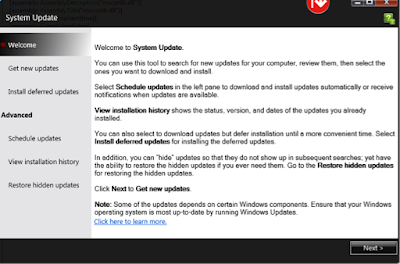
1 – The link in the main application interface